NetBox: the source of truth behind our own infrastructure (DCIM + IPAM)
The most widely deployed IPAM in the industry is a spreadsheet named final-ip-list-v3-FINAL.xlsx, sitting on the desktop of someone who left the company two years ago. A close second is tribal knowledge: “that /24 belongs to Andrei, but Andrei switched jobs, so ask Bogdan, who probably knows what’s still free.” Neither has an API. Neither validates itself. And neither tells you the truth once someone allocates an address by hand and forgets to update the sheet.
NetBox (github.com/netbox-community/netbox , netboxlabs.com , Apache-2.0 licensed) solves exactly this problem: it’s the de facto open-source tool for DCIM (data center infrastructure management) and IPAM (IP address management), combined into a single, queryable, API-driven system. This isn’t a passing technical curiosity for us: NetBox is DreamServer’s own CMDB and IPAM, the actual source of truth that our Ansible-based automation reads from, and writes to, every time we provision something. When we spin up a new virtual machine across our Proxmox virtualization clusters, IP allocation and device registration happen through NetBox, not inside someone’s head or a local spreadsheet. Before NetBox, infrastructure knowledge was tribal and spreadsheets were already stale by the time you opened them. Now it’s queryable, API-driven, and our automation genuinely reads from it.
What NetBox actually is
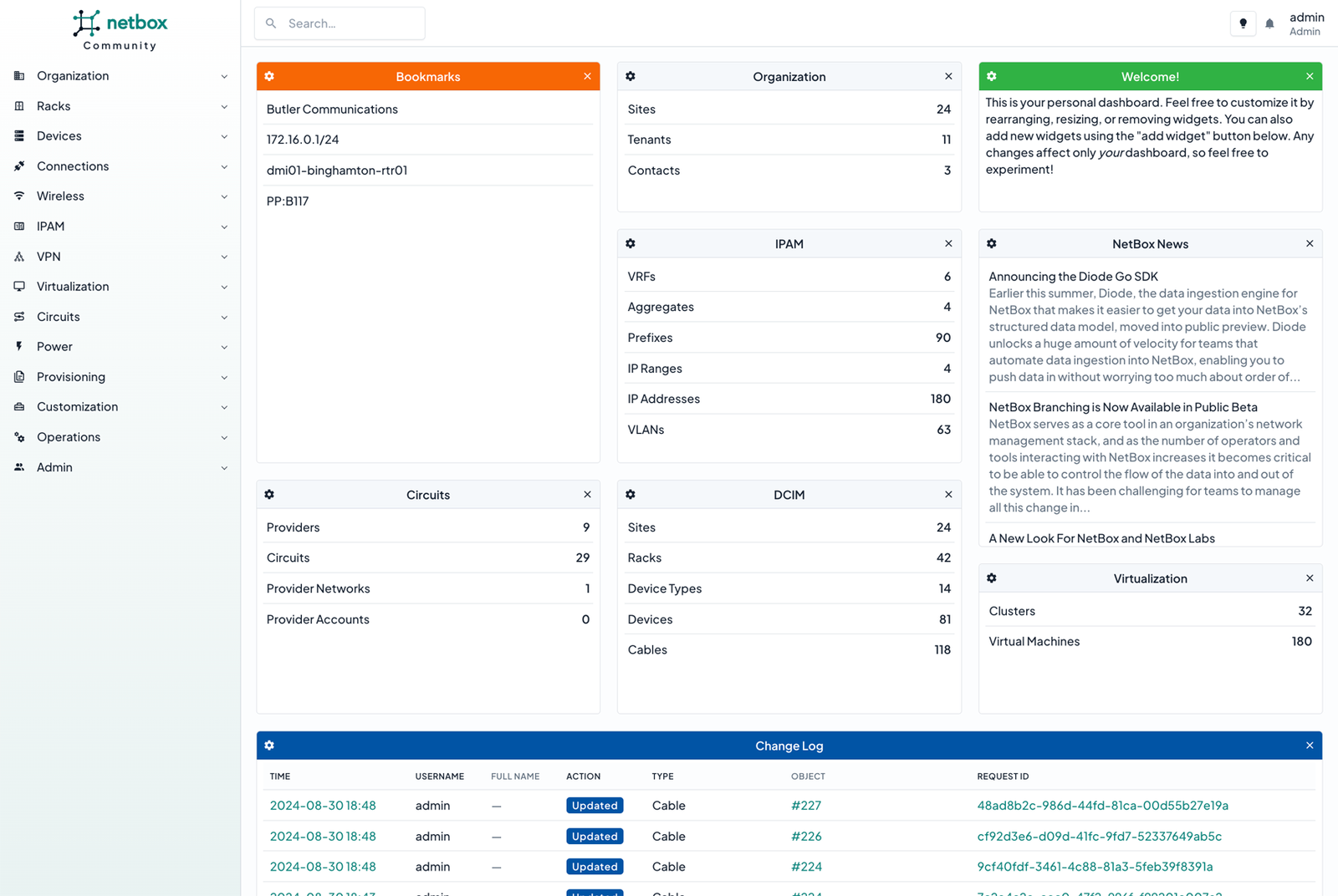
NetBox is a Django web application backed by PostgreSQL that models both the physical and logical layers of your infrastructure: sites, racks, devices, cabling, power, IP addresses, prefixes, VLANs, VRFs, provider circuits, autonomous system numbers, and virtual machines with their clusters. Every one of these objects links to the others: a device sits in a rack, a rack sits in a site, a device has interfaces, interfaces hold IP addresses, IP addresses belong to prefixes, and prefixes belong to VRFs or VLANs. It’s not a flat database of independent rows, it’s a graph of your actual network reality.
Why the DCIM + IPAM combination matters
Most teams split these two worlds apart: one tool (or spreadsheet) for “what hardware do we have and where,” and another tool (or spreadsheet) for “which IP is assigned to what.” The problem is that these two worlds are really one world, seen from two angles. An IP address doesn’t exist in a vacuum. It’s assigned to an interface, which belongs to a device, which sits in a rack, which sits in a site. When DCIM and IPAM live in the same data model, you can ask questions like “which prefixes are free in this site” or “which device is using this IP” without mentally joining two systems that have never heard of each other. That’s the whole idea of a source of truth: one place to ask, one correct answer, instead of two places that can quietly disagree.
What you get out of the box
NetBox ships with data models already built for nearly everything that data center and network infrastructure involves:
- Devices, racks, cables - physical inventory, with exact rack positions and cable-to-cable connections documented.
- Power - panels, feeds, outlets, with power allocated per device.
- Sites and locations - a hierarchy of facilities, rooms, and rows of racks.
- Virtual machines and clusters - for virtualization environments, so VMs aren’t ghosts nobody tracked.
- IP addresses and prefixes - hierarchical allocation, with status (active, reserved, deprecated) per address.
- VLANs and VRFs - network segmentation that’s documented, not just configured on a switch and forgotten.
- Circuits and providers - the upstream transport connections and the carriers operating them.
- Autonomous system numbers - relevant if you run your own routing space, as we do.
- REST and GraphQL APIs - anything you can do through the web UI, you can also do programmatically.
- Webhooks - events fired when something changes, useful for driving automated syncs to other systems.
- Custom fields - extend any data model with attributes specific to your organization, without touching code.
- Change logging - a full history of who changed what and when.
Installing NetBox on a VPS
The realistic install path today is the official netbox-community/netbox-docker project, which brings up NetBox alongside PostgreSQL and Redis (Redis handles caching and task queues, it’s not optional):
git clone -b release https://github.com/netbox-community/netbox-docker.git
cd netbox-docker

# create an override file with your settings (ports, superuser, etc.)
cp docker-compose.override.yml.example docker-compose.override.yml

# bring up the stack: netbox, netbox-worker, postgres, redis, redis-cache
docker compose pull
docker compose up -d

# create your first superuser
docker compose exec netbox /opt/netbox/netbox/manage.py createsuperuser
The compose file brings up every container you need (NetBox, its worker for async tasks, PostgreSQL, Redis). If you’re exposing the app port directly on a VPS, use ufw (or the equivalent firewall) to restrict access to where you actually need it, and put a TLS-terminating reverse proxy in front (Nginx or Traefik) instead of leaving the container exposed directly. NetBox holds the complete map of your infrastructure, IP addresses included, so it’s not the kind of service you want sitting on the open internet without authentication and encryption in transit. If you’d rather not manage the VPS, firewall, and OS maintenance yourself, our VPS page
has dedicated resources that fit exactly this kind of self-hosted app.
Configuration patterns worth knowing
Model sites, racks, and devices before you throw IPs at the system
The most common mistake is jumping straight to prefixes and IP addresses while skipping the physical hierarchy. NetBox is far more useful when the model is complete: site, then racks, then devices, then interfaces, and only then IP addresses attached to those interfaces. Skip that and you end up with a decent IPAM that has no connection to physical reality, which is half the value you’re leaving on the table.
Keep prefixes and VLANs consistent from day one
Allocate prefixes hierarchically (a parent /24, then child subnets per VLAN or function) and tie every VLAN to its real prefix. Do this consistently and NetBox instantly shows you what space is free, what’s allocated, and where overlaps exist, without you counting rows in a table by hand.
Custom fields for organization-specific metadata
You’ll always have data that doesn’t fit the standard model: who owns a given service, an internal project code, a contract expiry date tied to a specific rack. Custom fields let you extend any model (device, prefix, VLAN, whatever) without bloating the schema with fields nobody else needs. Resist the temptation to dump this into a free-text description field instead, you can’t query that efficiently.
Drive automation from the API, not repeated manual edits
This is the piece that turns NetBox from a nice-looking database into something genuinely useful: when your automation (Ansible, Terraform, whatever you run) reads its dynamic inventory from NetBox and writes IP allocations back through the REST or GraphQL API, the data stays in sync with reality because the automation is what creates that reality. Layer in webhooks if you want other systems to react (notifications, syncs, tickets) the moment something changes in NetBox, instead of waiting for a human to notice.
Where NetBox is not the right answer
NetBox is not a live network monitoring tool. It won’t tell you whether a switch is down right now or whether an interface is dropping packets; you need a separate monitoring and alerting system for that. NetBox describes how your infrastructure should look, not how it’s behaving in real time this second.
It’s also not a configuration management or automation engine by itself. It’s the data, not the execution. You can use it as the source that Ansible, Terraform, or anything else reads from, but it won’t push configuration to your gear on its own.
It’s overkill if you’re running a handful of servers on a single subnet. Its value grows with the number of devices, VLANs, and people involved; below a certain size, a well-maintained spreadsheet can genuinely hold up for a while.
And most importantly: NetBox does not discover your network on its own. It doesn’t scan your infrastructure and populate itself automatically (there are integrations and scripts that can help, but that’s not the default behavior). If you don’t have the discipline to enter data correctly up front and keep it current whenever you make manual changes, you end up with a source of truth that lies, which is worse than having no IPAM at all, because now people trust it wrongly.
Alternatives we considered
- phpIPAM - a lighter IPAM with no DCIM ambitions, a good fit if all you need is IP address management without racks and physical devices.
- Racktables - leans more toward the DCIM side (racks, devices, cabling), with IPAM as a secondary feature. The interface shows its age compared to NetBox, but it works.
- Nautobot - a fork of NetBox, born from the same codebase, with extra emphasis on plugins and integration with network automation platforms. If you’re already deep in the NetBox ecosystem and need more plugin flexibility, it’s worth a direct comparison.
We stayed with NetBox because it covers both DCIM and IPAM in the same data model, with a mature API and a large community behind it, which matters when you’re integrating it with your own automation for the long haul.
So, should you run it?
If you’re managing more than a handful of servers and feel like your infrastructure lives inside one person’s head (often your own), NetBox is worth setting up before it becomes a problem, not after. You can get it running quickly on a VPS with dedicated resources, behind a TLS-terminating reverse proxy. If you’d rather have someone else handle the operating system, firewall, and updates while you focus on modeling your infrastructure, our server administration team can take that part off your plate. And if you’re at the stage of putting your entire network in order, NetBox is where you start writing the truth down instead of just remembering it.