ArchiveBox: self-hosted web archiving that actually beats link rot
Ever saved a link that mattered, an article you cited, evidence for a case, a source referenced in a report, and gone back to find the page just gone? Domain expired, article deleted, site redesigned three times since. There’s a name for this: link rot. A 2024 Pew study found that nearly a quarter of web pages referenced between 2013 and 2023 have already disappeared. A bookmark isn’t an archiving plan, it’s just a bet that the page will still be there tomorrow. Often it isn’t.
ArchiveBox (site: archivebox.io ) is an open-source, MIT-licensed tool built for exactly that problem: you give it a URL, and it saves a complete copy, in multiple formats at once, on your own server. We run ArchiveBox in our Bucharest datacenter to stop link rot on our own reference material and internal documentation before it becomes a problem.
What ArchiveBox actually is
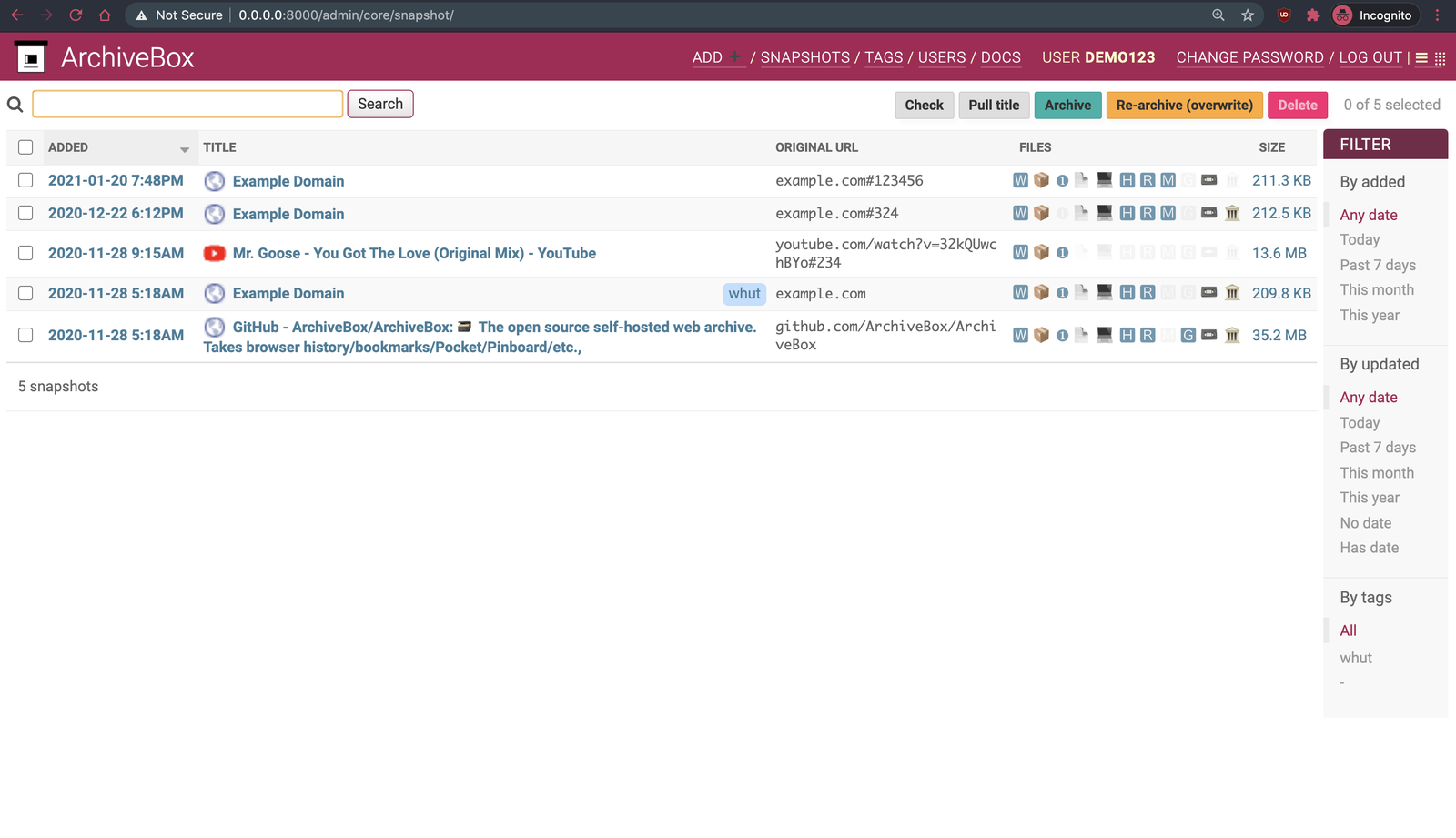
ArchiveBox is built on Django and Django-Ninja, with SQLite for persistent metadata storage. When you feed it a URL, it doesn’t take a single snapshot, it orchestrates a set of proven tools to produce, simultaneously: a full HTML snapshot (original HTML+CSS+JS), a “SingleFile” page (the whole page bundled into one self-contained HTML file), a PDF, a PNG screenshot, a WARC file (the same standard format used by the Internet Archive), extracted article text, the favicon, HTTP headers, and downloaded media via yt-dlp when the page contains video or audio.
Every URL becomes a “snapshot” with its own folder, an HTML index, and all the formats above sitting next to each other. You’re not betting on a single format staying usable (a PDF that renders wrong later, an HTML page that lost its external CSS), you always have redundant copies.
Why this matters
The difference from a plain wget or a manual screenshot is redundancy plus automation. If you’re archiving sources for an article, evidence for a legal matter, or just your own research history, you want to be able to open the archive in five years regardless of what’s changed in browsers or file formats by then. WARC is the same format used by the Internet Archive’s Wayback Machine, so you get compatibility with established replay tooling. You’re effectively building your own Wayback Machine, one you actually control.
What you get out of the box
- Multiple ways to add URLs: CLI (
archivebox add <url>), a REST API (beta), a browser bookmarklet, or bulk import from browser history, bookmarks, Pocket, Pinboard, Reddit, or RSS feeds. - Full-text search across everything you’ve archived, powered by Sonic (a fast, lightweight search engine).
- Web UI (Django Admin plus its own interface) for browsing, searching, and managing snapshots.
- Scheduled importing: configure RSS/JSON/CSV sources that get checked periodically, and any new URL gets archived automatically.
- An official browser extension (ArchiveBox Exporter, also available in the Chrome Web Store) for one-click archiving straight from the current tab.
- Optional redundant backup to archive.org, if you want a copy outside your own infrastructure too.
- The client interface uses plain HTML/CSS/JS with no heavy frontend framework, so it runs comfortably even on a modest VPS.
Installing ArchiveBox on a VPS
The officially recommended method is Docker Compose. A minimal docker-compose.yml setup looks like this:
mkdir archivebox && cd archivebox
curl -O https://raw.githubusercontent.com/ArchiveBox/ArchiveBox/dev/docker-compose.yml

docker compose run archivebox init --setup
docker compose up -d
This creates a data/ folder with your archive and starts the web server on port 8000 by default. Create an admin account with:
docker compose run archivebox manage createsuperuser
If you’d rather skip Docker, the package is also available via uv, apt, brew, or pacman, depending on your distro.
Once it’s running, only expose it publicly behind a TLS-terminating reverse proxy (Nginx, Caddy, or Traefik), never the raw port. On the VPS firewall itself, allow only 22 (SSH), 80, and 443:
ufw allow 22/tcp
ufw allow 80/tcp
ufw allow 443/tcp
ufw enable
Budget reasonable resources: headless Chrome/Chromium for rendering, plus generous disk space if you’re archiving media (yt-dlp can pull down large files). A VPS with at least 2 vCPUs and enough SSD for your archive’s growth is a solid starting point.
Configuration patterns worth knowing
Auto-importing from recurring sources
Instead of adding every URL by hand, configure archivebox schedule or an external cron job that runs archivebox add --index-only against an RSS feed or a periodically refreshed bookmark export. That turns ArchiveBox from a reactive tool (you archive when you remember) into a proactive one (it archives everything you post or read automatically).
Picking extractors selectively
You don’t need all 10+ formats for every archive. If you’re running on a small VPS and only want text plus PDF (skipping video, skipping heavy WARC files), disable specific extractors in ArchiveBox.conf (settings like SAVE_WARC=False or SAVE_MEDIA=False). This dramatically cuts disk usage and per-URL processing time.
Keeping big archives off the root disk
If your archive grows (media, full WARCs), you don’t want to fill up the VM’s root filesystem. Mount a separate disk at data/archive/ before you start archiving large volumes, exactly like you would for any app whose data keeps growing.
Full-text search via Sonic
Sonic runs as a separate container next to ArchiveBox and indexes the extracted text content. If your archive grows into thousands of pages, full-text search is what makes the tool actually useful, otherwise you’re browsing by title and date alone.
Where ArchiveBox is not the right answer
If all you need is “save me 20 links once a month,” ArchiveBox is overkill, a plain bookmark manager or even the public Wayback Machine (web.archive.org/save) gets it done without you having to run a server. It’s also not a CMS or a publishing tool, archives are meant for your own reference, not for serving as a high-traffic public site (even though technically you could). If your goal is real-time content monitoring (detecting changes on a page, alerting), look for a dedicated change-detection tool instead of an archiver. And if you legally need notarized, timestamp-certified archives (admissible evidence with a strict chain of custody), talk to a provider specialized in legal archiving, raw WARC files don’t give you that out of the box.
Alternatives we considered
- SingleFile : a browser extension that saves a page as a single HTML file. Great for one-off captures, but no orchestration, search, or central archive management.
- Wayback Machine (archive.org) : the Internet Archive’s public service. Free and simple, but you don’t control retention, and some pages block their crawler (robots.txt, geo-blocking).
- Monolith : a minimalist Rust CLI that bundles a page into a single HTML file. Fast and lightweight, but no UI, search, or multi-format output.
So, should you run it?
If you produce or rely on content that matters long-term, cited articles, research material, evidence, external documentation you link to, ArchiveBox is a cheap tool (resource-wise) that solves a real and often-ignored problem. We run it for exactly that in our Bucharest datacenter, and we haven’t been caught out by a dead link to something we actually needed to reread since.
Need a VPS to put it to work, or would you rather not handle the day-to-day operations yourself? Our server administration service covers exactly that, from install through updates and monitoring.